Restaurant POS & kitchen display
The restaurant belongs to the hotel.
Restaurant, bar, café and room service run on the same system as the rooms. Orders reach the right kitchen station as tickets, bills split the way tables actually pay, and an in-house guest’s dinner lands on their folio without anyone re-typing it.
Outlets
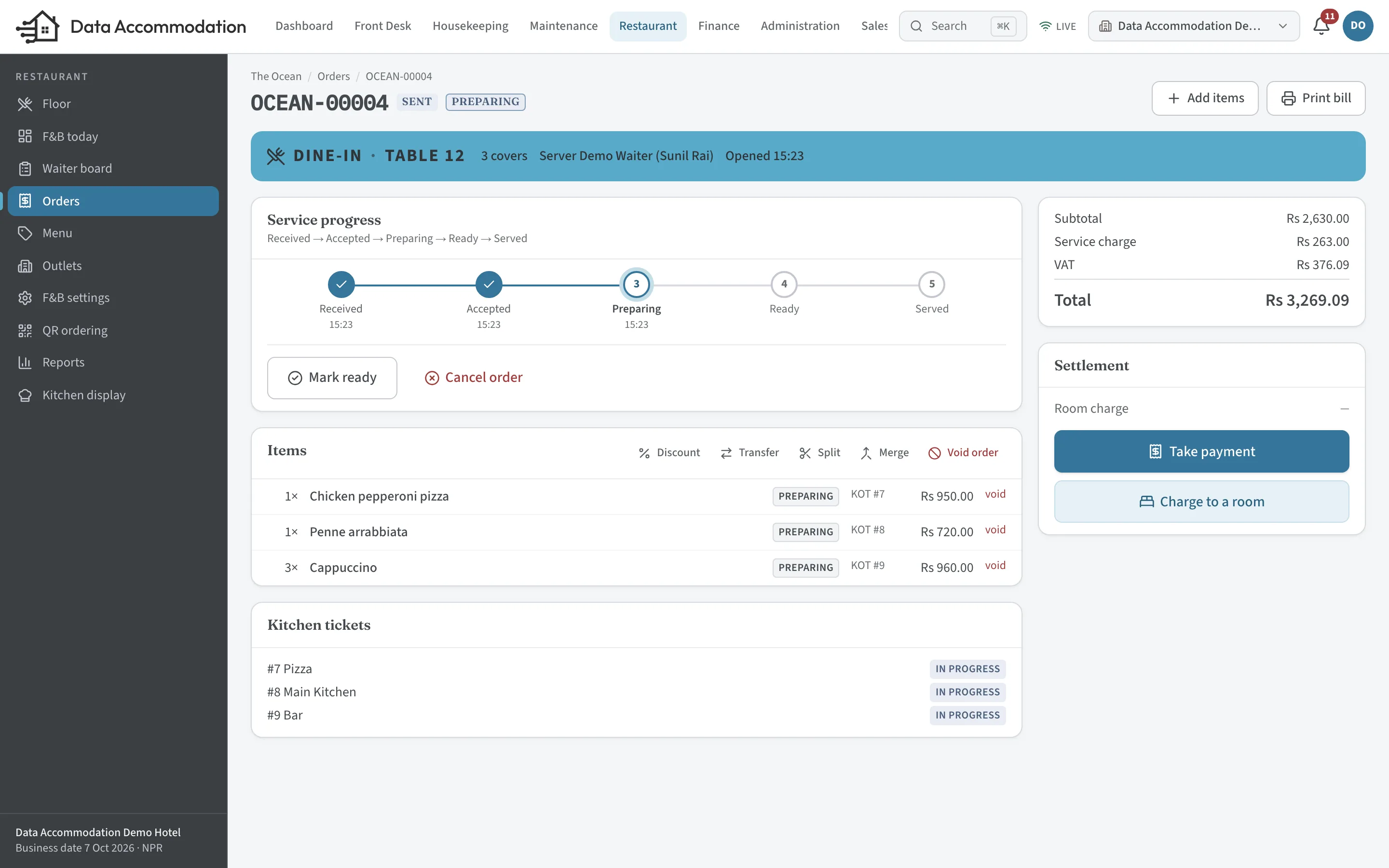
Set up every outlet the way it works.
Every kind of outlet
Restaurant, bar, café, room service, spa, minibar, banquet, retail, laundry and activities, each with its own menu and invoice series.Tables and sections
Sections and tables with a floor view that shows which tables are open, and transfers between tables or outlets.Menus with modifiers
Categories and items with a local-language name, modifier groups with minimum and maximum choices, and one tap to mark an item unavailable.Order types
Dine-in, takeaway, delivery, room service, bar tabs and event orders.
Kitchen display
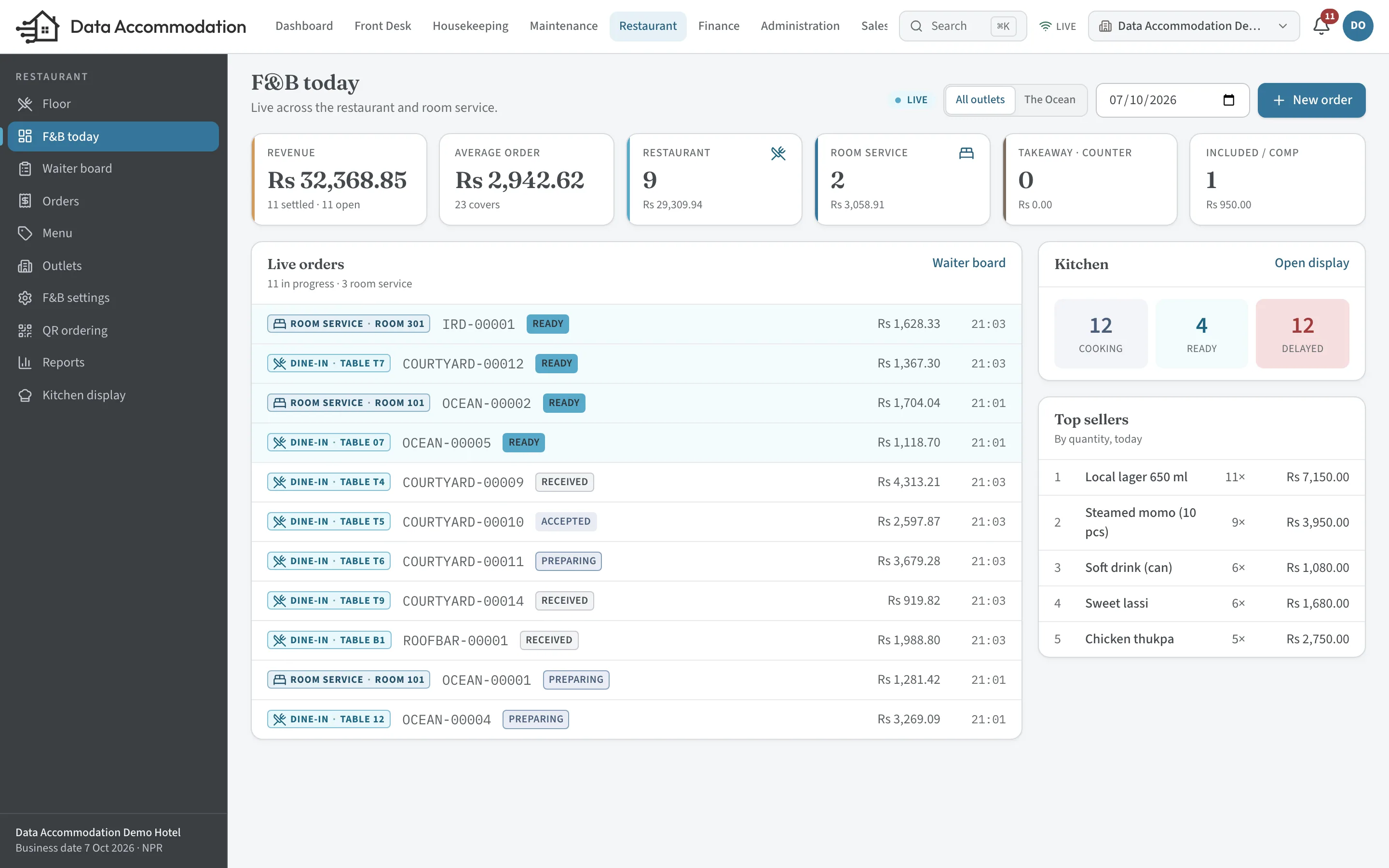
Tickets arrive at the station that cooks them.
Tickets split by station
Sending an order creates a kitchen order ticket for each station, so the grill sees grill items and the bar sees drinks.A live kitchen display
Acknowledge, start, ready, served and recall, with a rush flag. The display updates live as orders are sent.Stock follows the recipe
Recipe ingredients are deducted from inventory when an order is sent to the kitchen.
Room service
A QR code in the room that knows the room.
Each room can have its own QR code. A guest scans it, sees the room-service menu on their phone with no app or login, and orders. The order carries the room to the kitchen and the charge to the folio.
Only for a checked-in stay
The room code works only while the room has a checked-in stay, so a code left behind cannot be used to order.Its own menu and prices
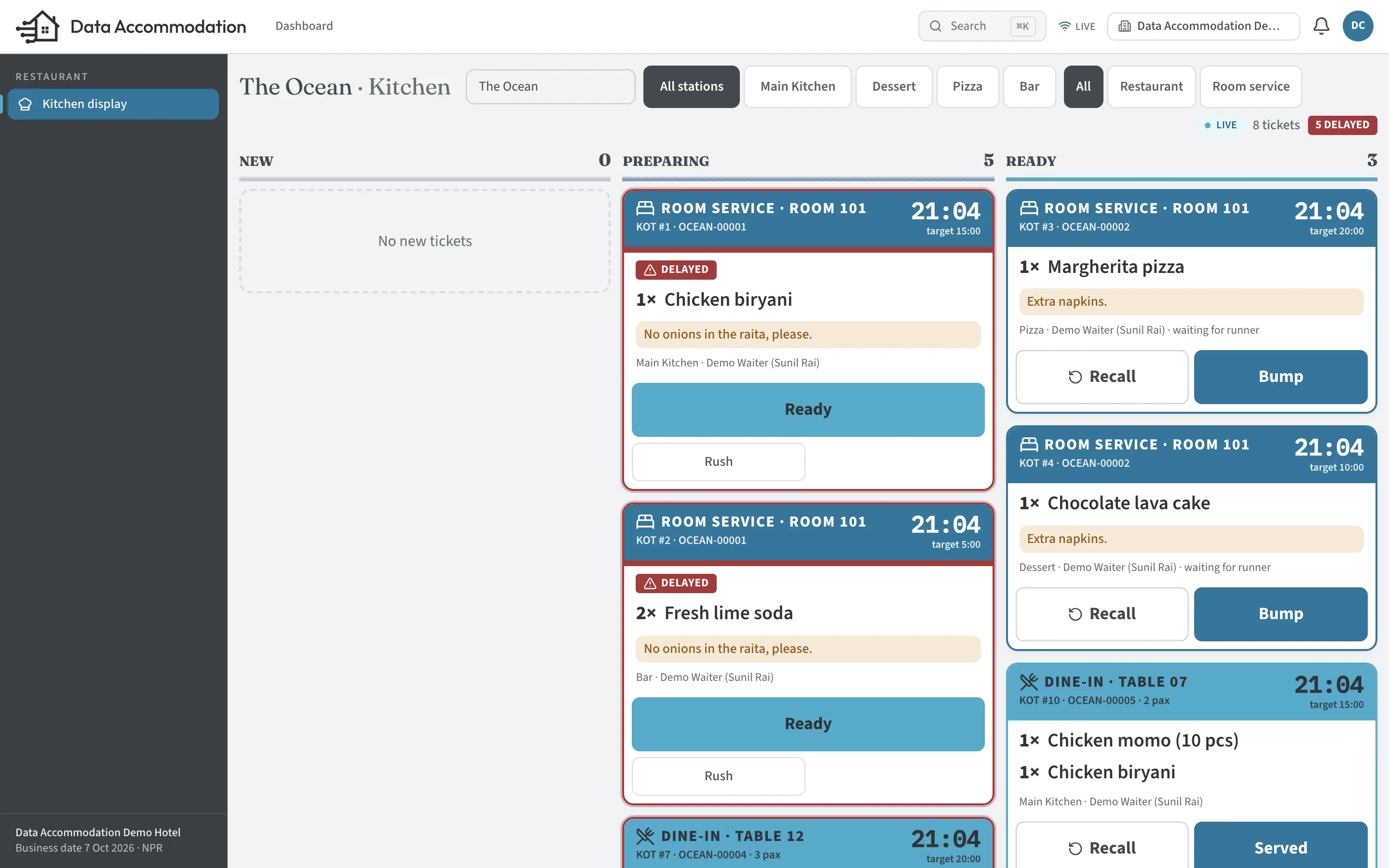
Room service has its own channel: room-service prices, categories that only appear in rooms, service hours, a minimum order and a delivery fee.Charge to room or pay now
The guest chooses. Charged orders are posted to the guest folio once, automatically, when they are delivered.Tracked to the door
Accepted, preparing, ready, out for delivery, delivered — the guest can follow the order on their phone, and the front desk sees open room-service orders.Tray pick-up
Delivery can create a tray pick-up task for housekeeping.
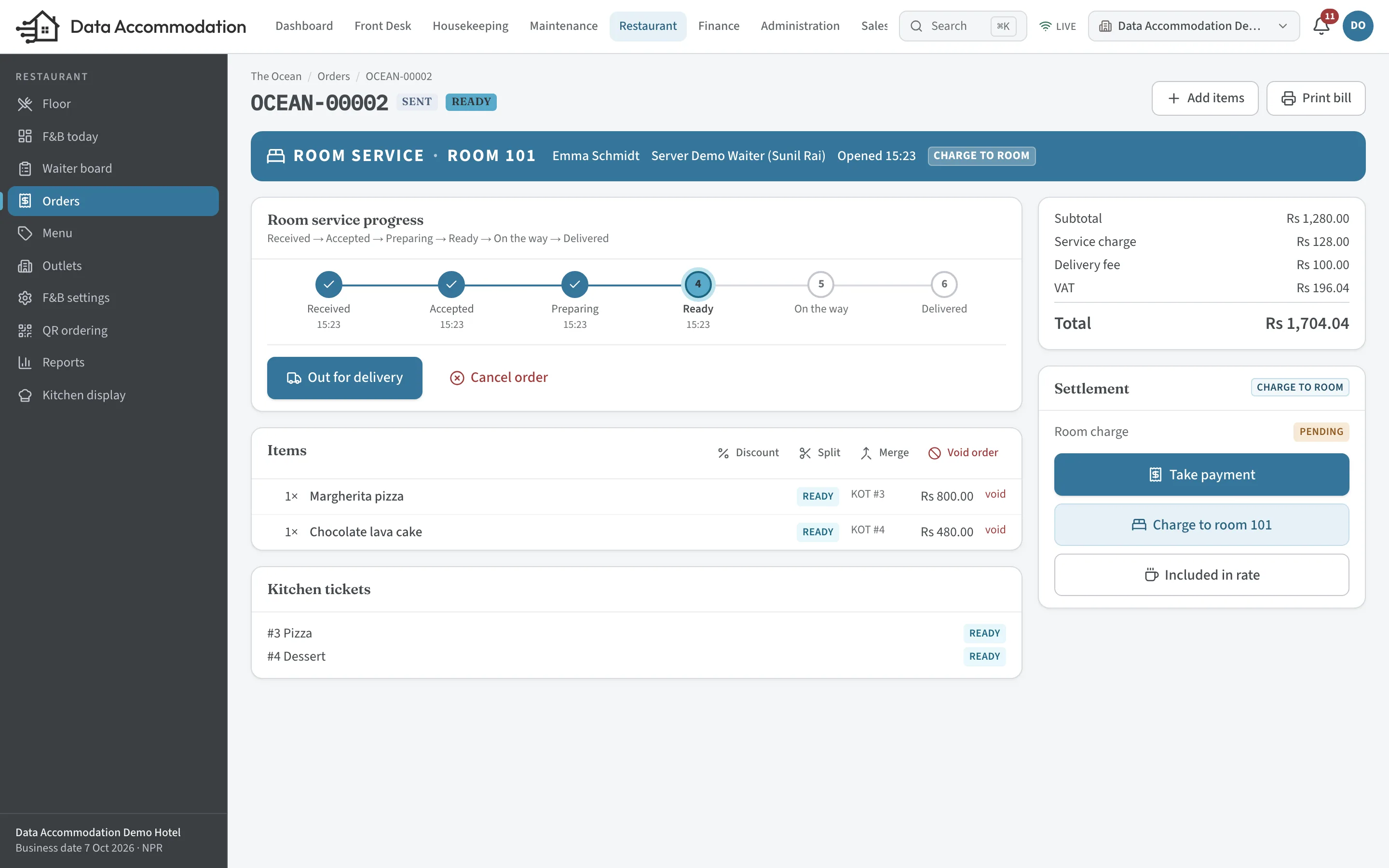
Table ordering
A QR code on the table that knows the table.
Table codes open the restaurant’s dine-in menu. Orders join the table’s check, go to the kitchen as a ticket, and are served and paid in the restaurant — never charged to a room.
Dine-in menu and prices
The table code resolves to an outlet and a table, and shows the dine-in channel’s menu and prices.Straight to the kitchen
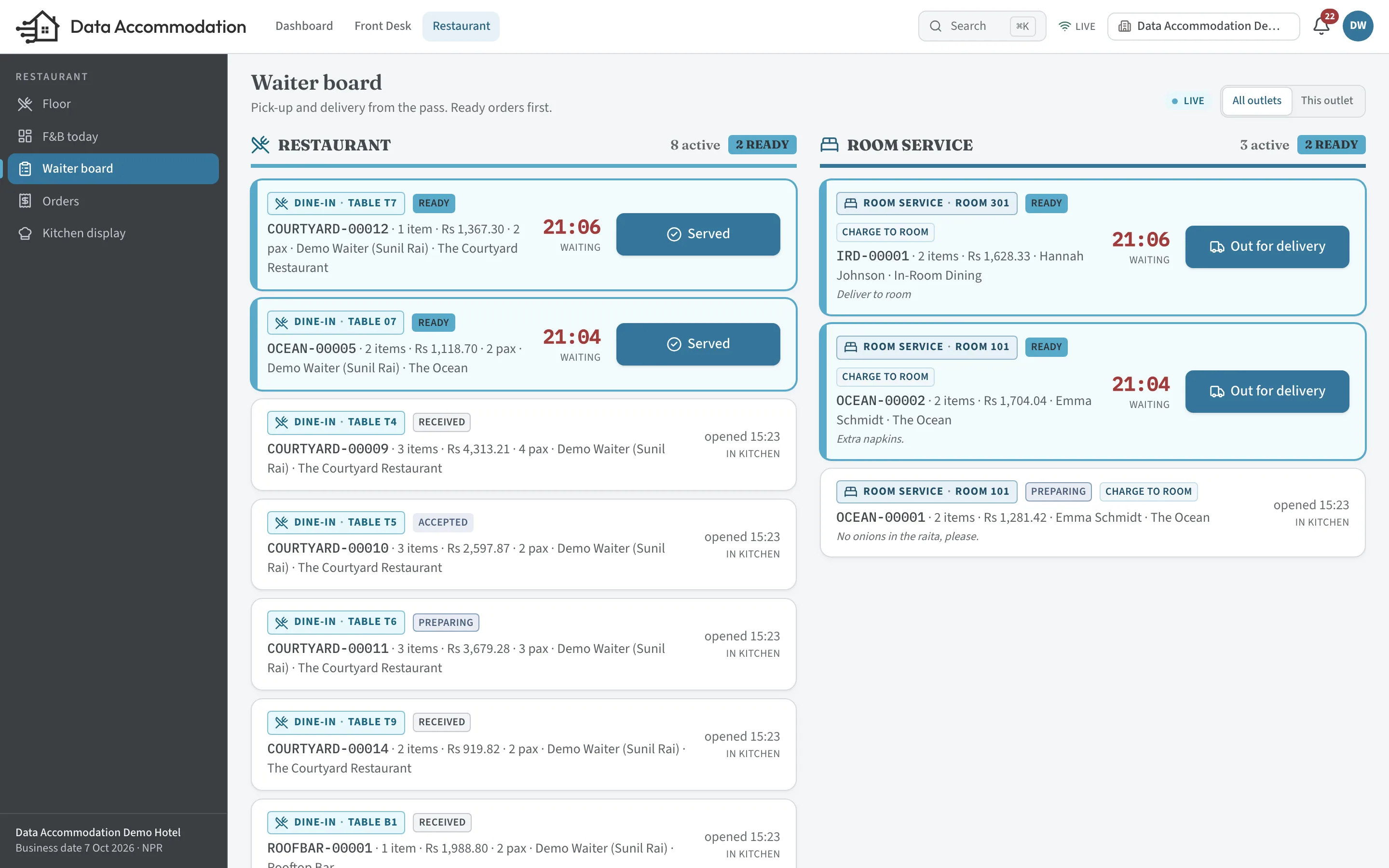
Guest orders become kitchen tickets for the right stations, the same as orders taken by a waiter.Waiter board
Waiters see what is ready to serve, mark it served, and bring the bill.Restaurant bill
Paid in cash, by card or wallet. When the table is paid it is marked for clearing, then available again.
Bills
Bills that close cleanly.
Split and settle
Split by items, by seat or equally; settle with several tenders, tips and cash change.Charge to room
Post a bill to an in-house guest’s folio, with an optional surname check. It appears on the guest’s bill at checkout — no re-keying.Invoices per outlet
Tax or abbreviated tax invoices are issued automatically, from a gap-free series per outlet.Controls
Voids, discounts, complimentary orders and reopening a bill are permission-controlled and audited.Sales and menu reports
Sales by outlet, and menu performance with margins from recipe cost.
Good to know
The POS runs in the browser and needs a connection. Receipt and kitchen printers are not driven directly today — tickets are shown on the kitchen display and bills print from the browser.
See how it would work in your hotel.
Walk around the demo hotel on your own, or book a walkthrough and we will go through it with your rooms, outlets and team in mind.