Hotel management software
A better-run hotel starts behind the scenes.
Reservations, room readiness, restaurant orders and guest bills are one operation. Data Accommodation keeps them in one system, so the desk, housekeeping, the kitchen and accounts work from the same information, and spend their time on guests instead of reconciling.
The demo is a working hotel with sample guests and a restaurant. It opens in your browser, with nothing to sign up for.
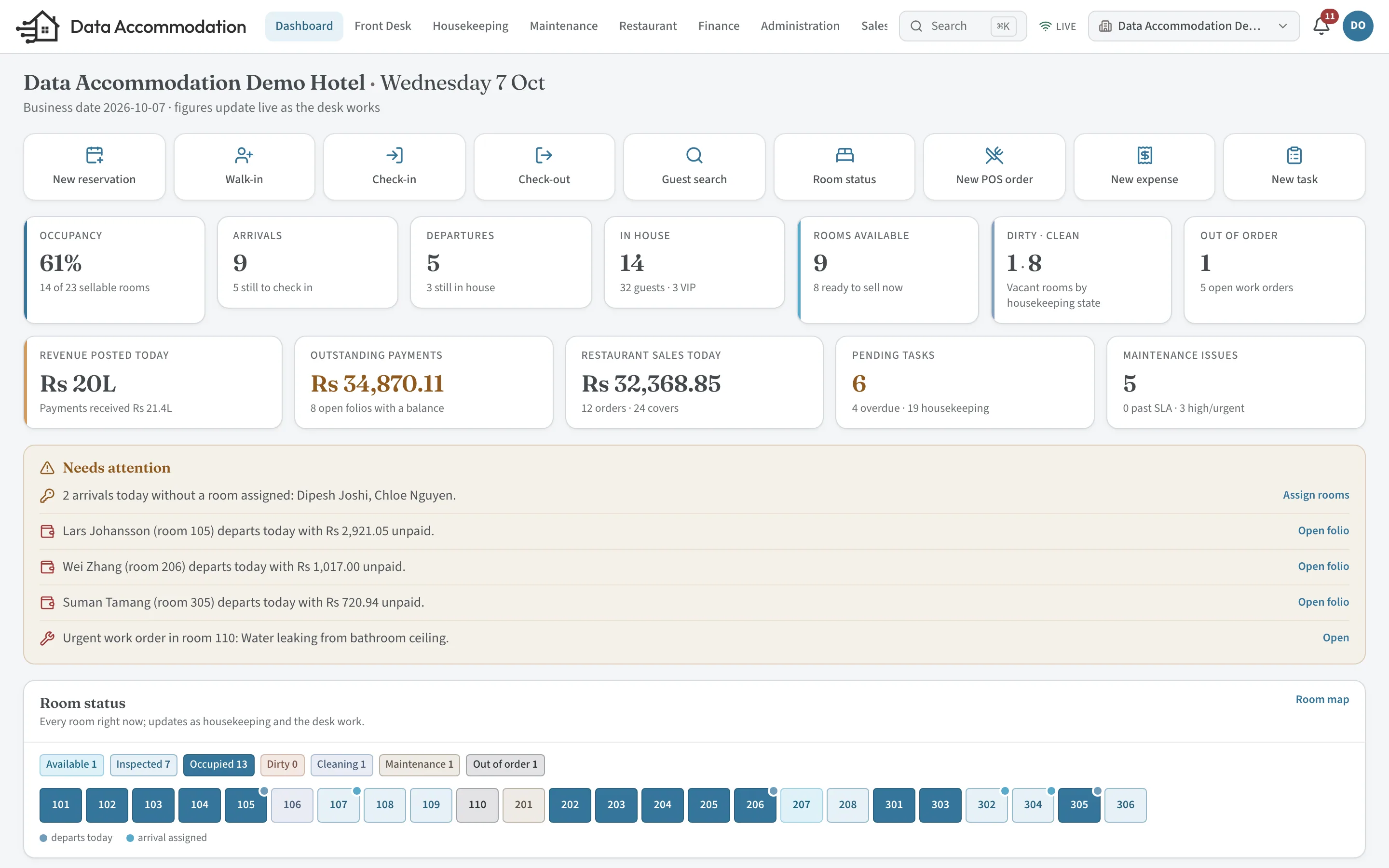
Rooms and stays
From the booking to the bill, one record follows the guest.
Nobody re-types the reservation at check-in, phones housekeeping to ask whether 204 is ready, or chases the restaurant for last night’s dinner at checkout. Each team updates the same stay.
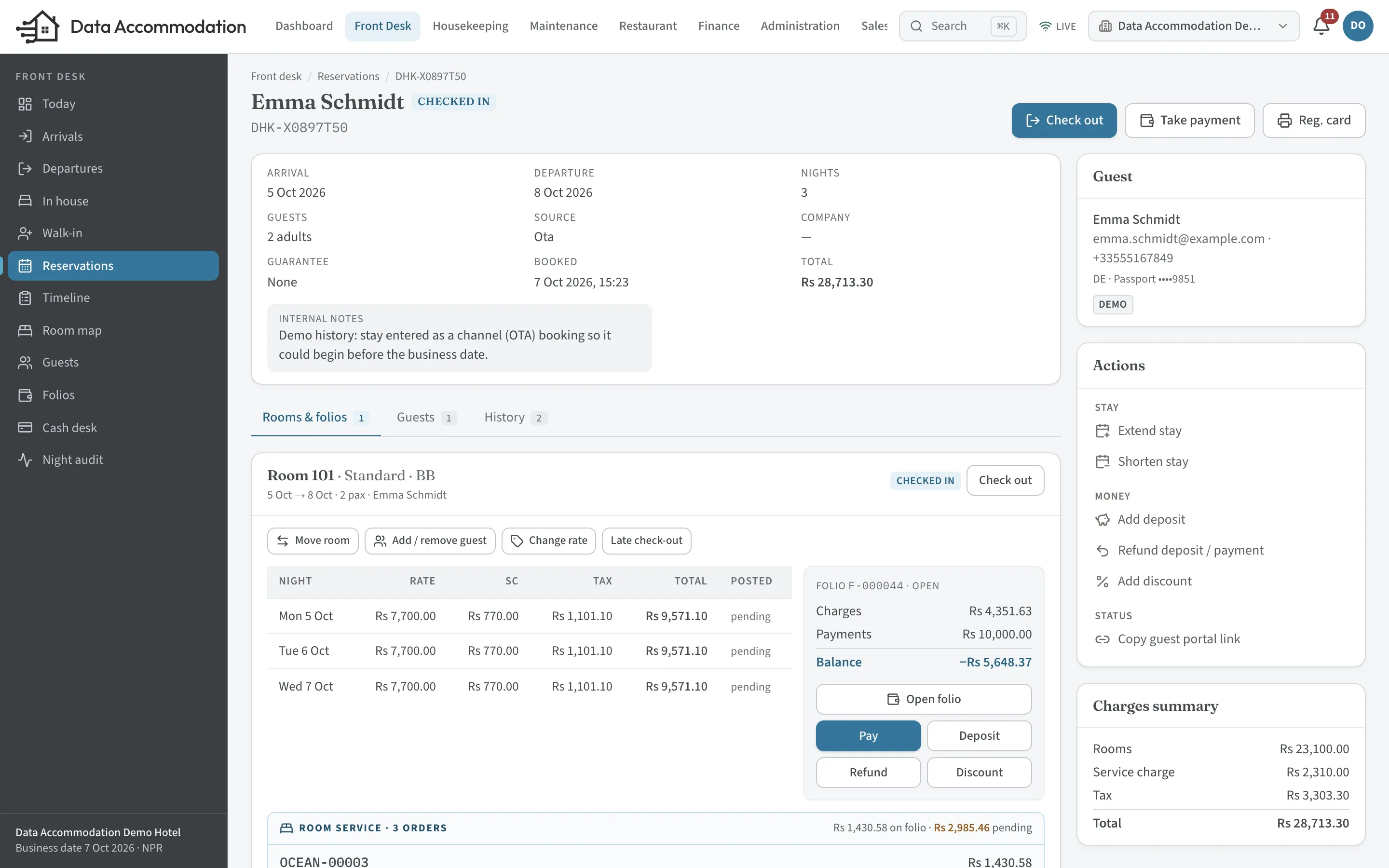
Restaurant and kitchen
The order reaches the kitchen the moment it is taken.
The restaurant, the bar and room service run in the same system as the rooms. A waiter’s order splits into tickets for each station, the kitchen works through them on a screen, and the pick-up board tells the floor what is ready.
 01
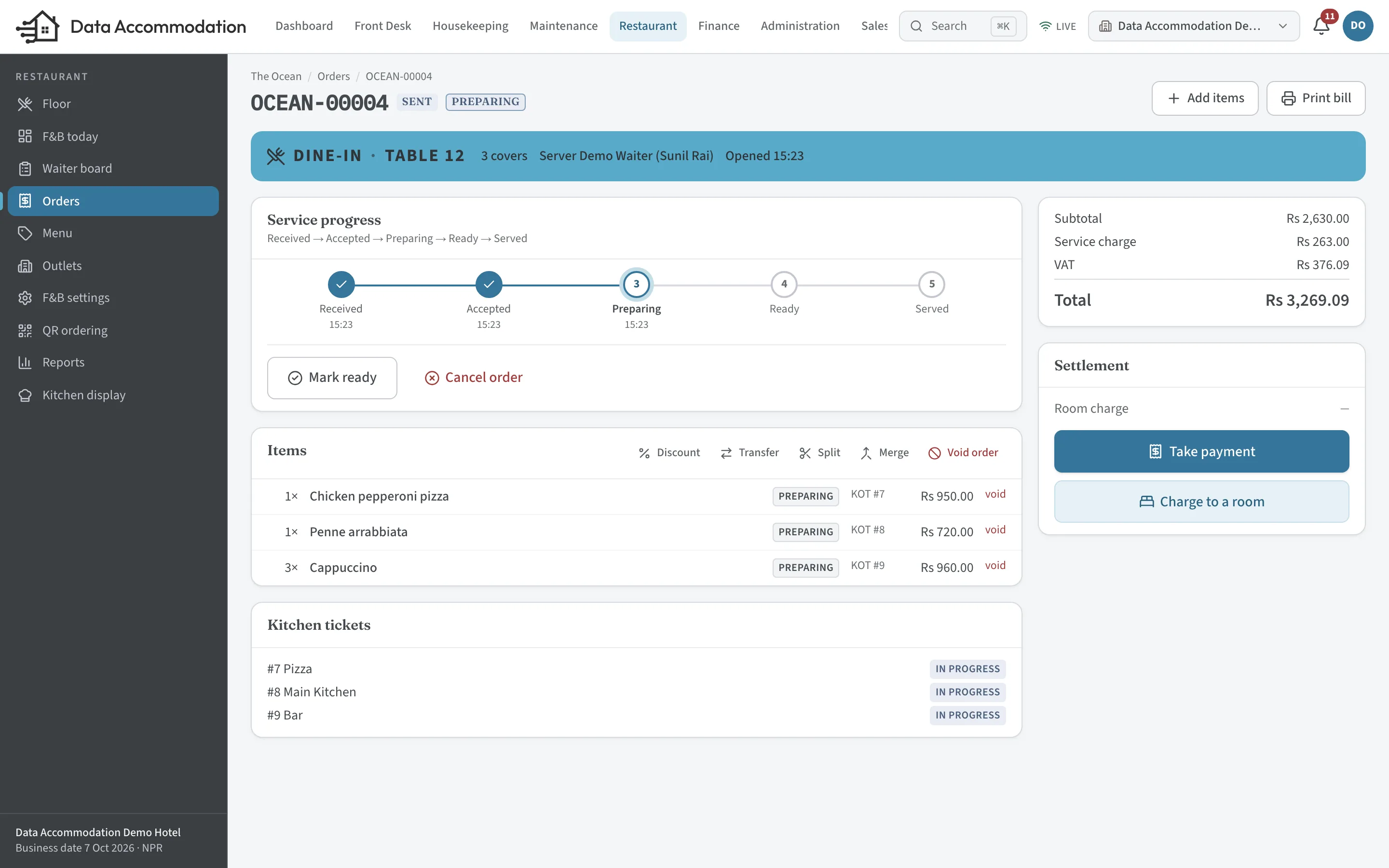
01Taken on the POS
Table 12, three covers. The items go to the pizza station, the main kitchen and the bar as separate tickets.
 02
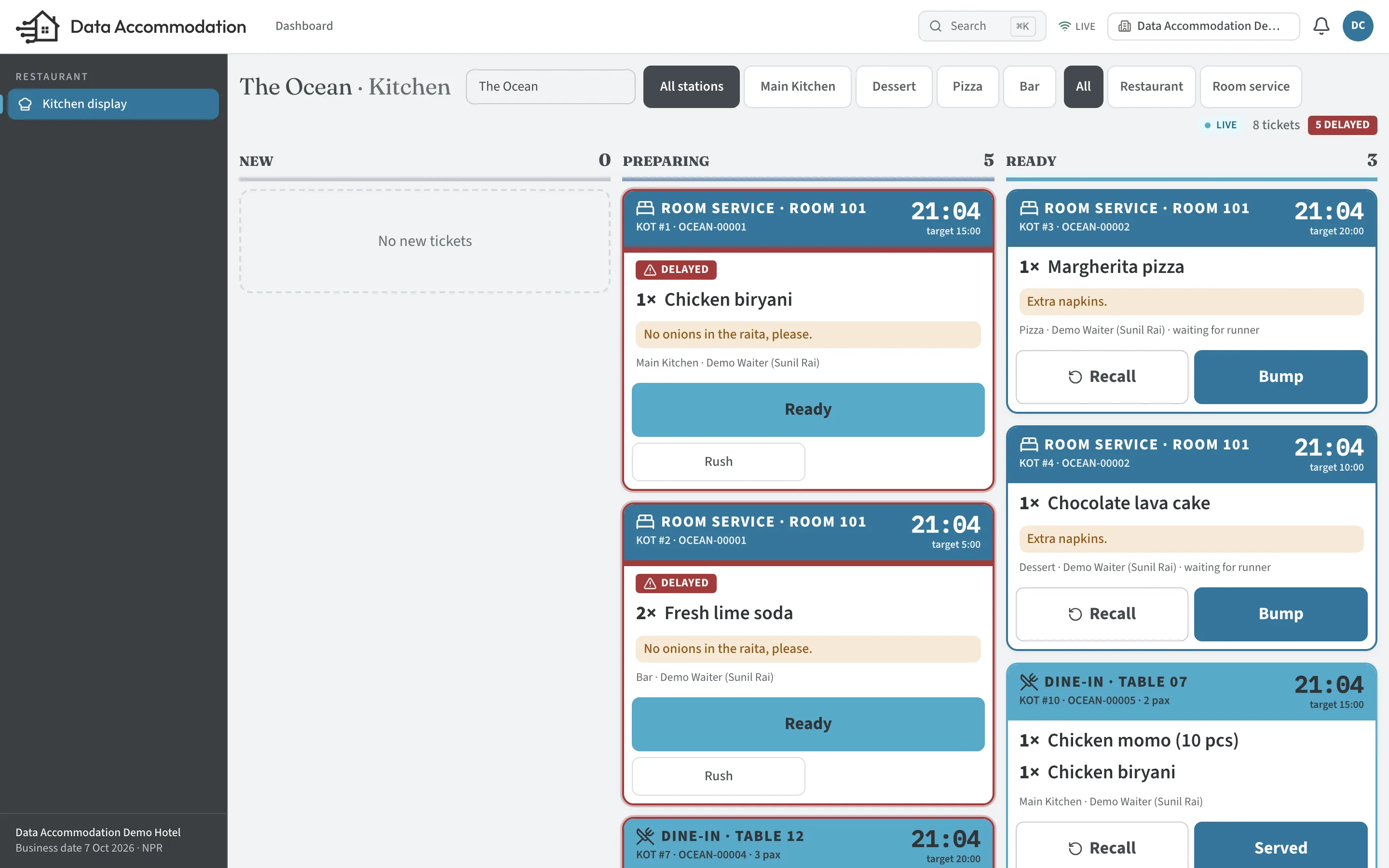
02Cooked from the kitchen display
New, preparing, ready. Tickets running late are flagged against each station’s target time.
 03
03Picked up and served
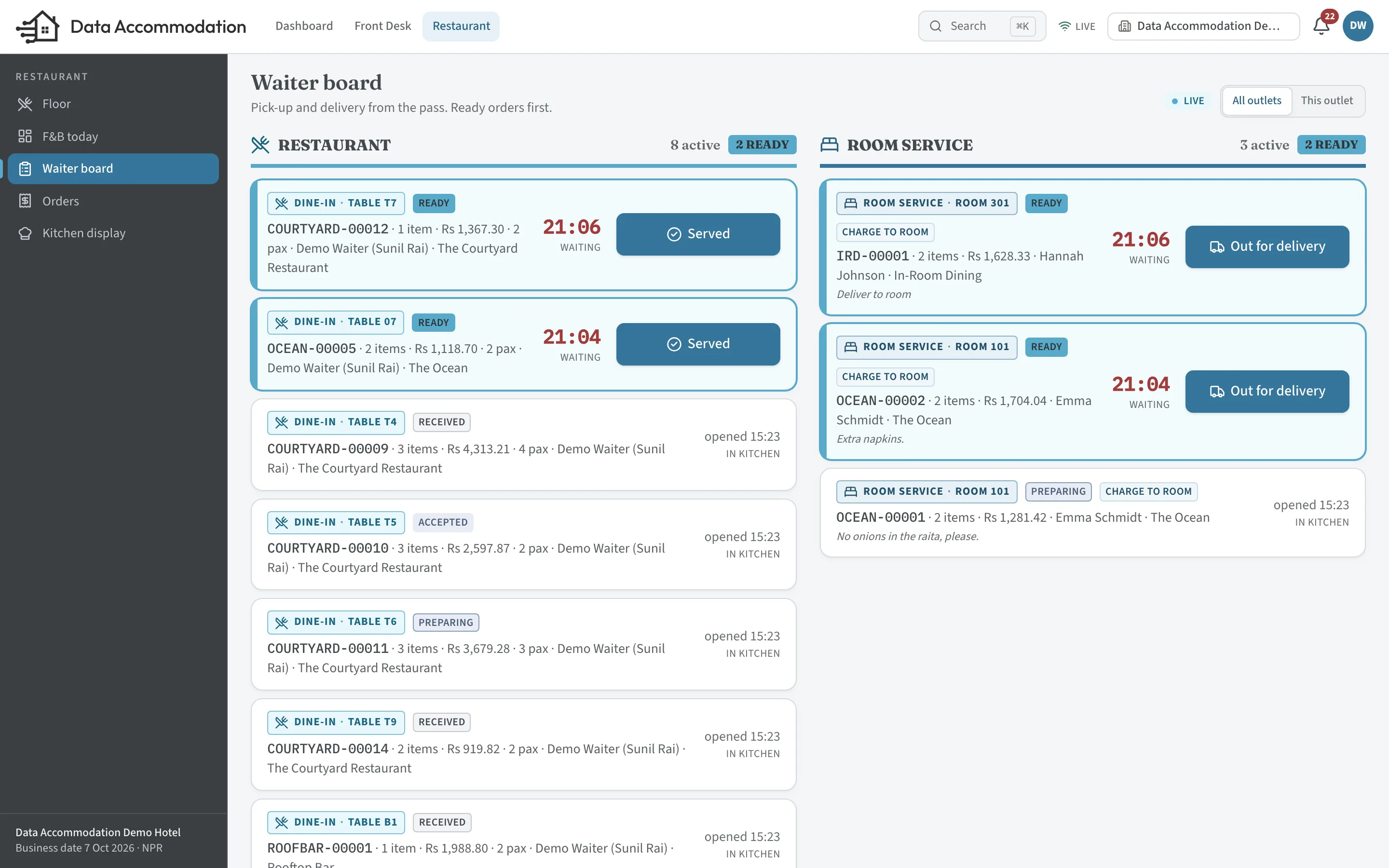
Ready orders rise to the top of the pick-up board, for the restaurant floor and the room-service runners.
Guest ordering
A QR code in the room and one on the table do different jobs.
Both open a menu on the guest’s phone, with no app to install. The room code knows who is staying; the table code knows where they are sitting. That changes the menu, the prices, who brings the food and how it is paid for.
Room 101
Room service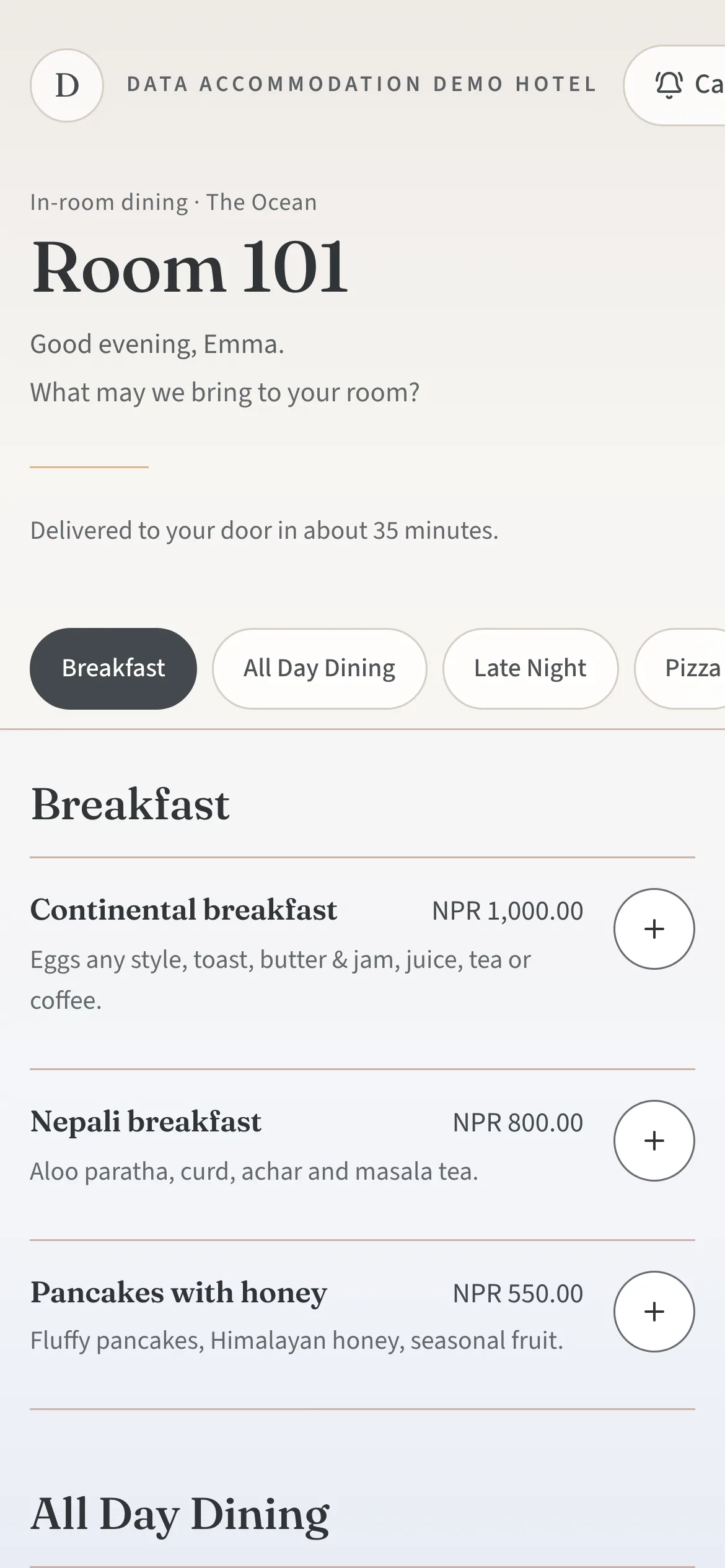
- 01Room QRScanned in the room. It only works while the room has a checked-in guest.
- 02Room-service menuRoom-service prices, service hours and the delivery fee.
- 03OrderThe guest charges it to the room or pays when ordering.
- 04KitchenThe ticket arrives at the station marked Room 101.
- 05Delivered to the roomThe runner marks it delivered. The guest follows it on their phone.
- 06Guest folio or paymentA room charge posts to the folio once, on delivery.
Table 12
Restaurant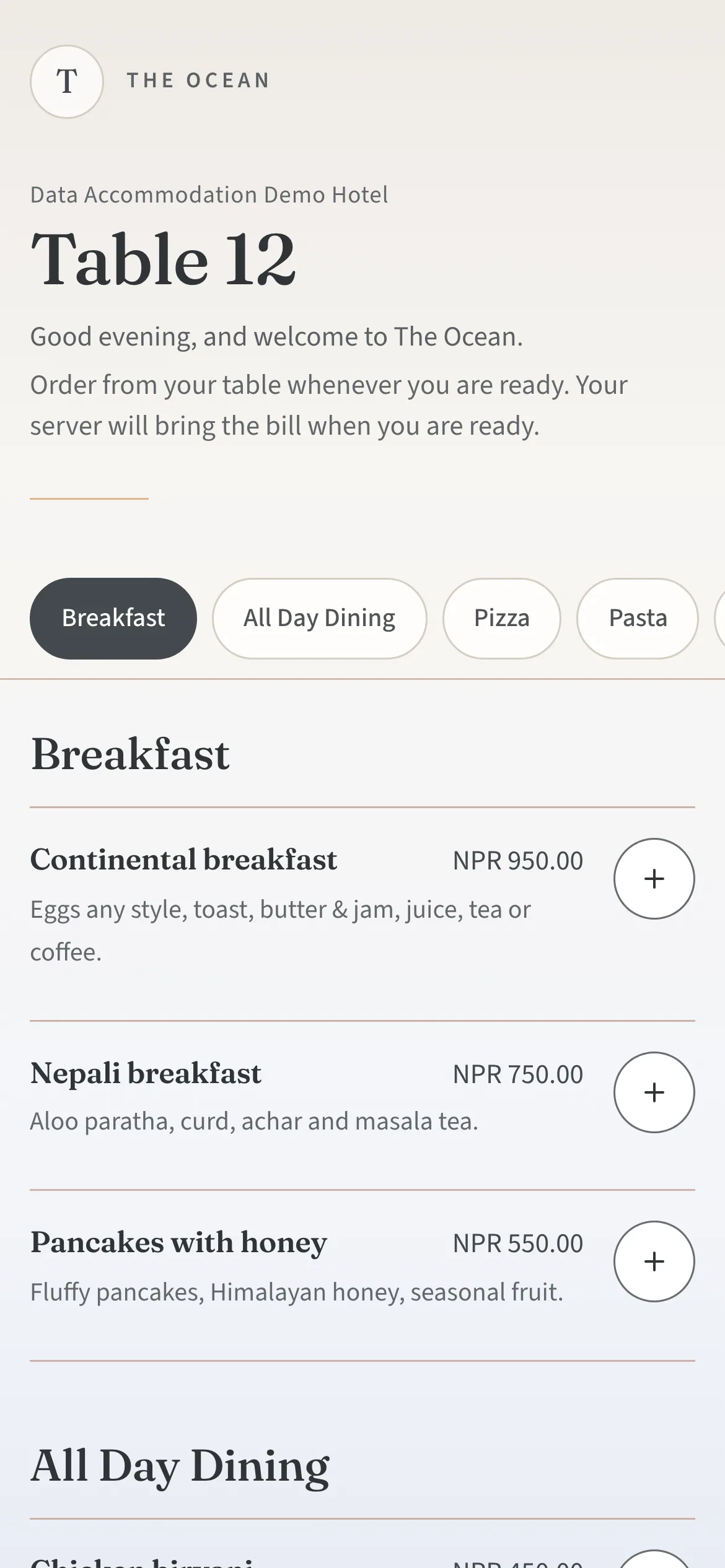
- 01Table QREach code belongs to one table in one outlet.
- 02Restaurant menuThe dine-in menu, at dine-in prices.
- 03OrderAdded to the table’s open check.
- 04KitchenTickets go to the right stations, like any waiter’s order.
- 05Served at the tableThe waiter picks it up from the board and marks it served.
- 06Restaurant billSettled at the table in cash, by card or by wallet.
In the demo hotel, the continental breakfast is NPR 1,000 from the room and NPR 950 at the table: each channel keeps its own menu prices.
| At a glance | Room service | Table ordering |
|---|---|---|
| Who can order | A guest checked in to that room | Anyone seated at that table |
| Menu and prices | Room-service menu, hours and delivery fee | The restaurant’s dine-in menu |
| Brought by | A runner, to the room door | The table’s waiter |
| Paid | Charged to the guest folio, or paid on ordering | A restaurant bill, settled at the table |
Stock and accounts
Stock and revenue follow the orders.
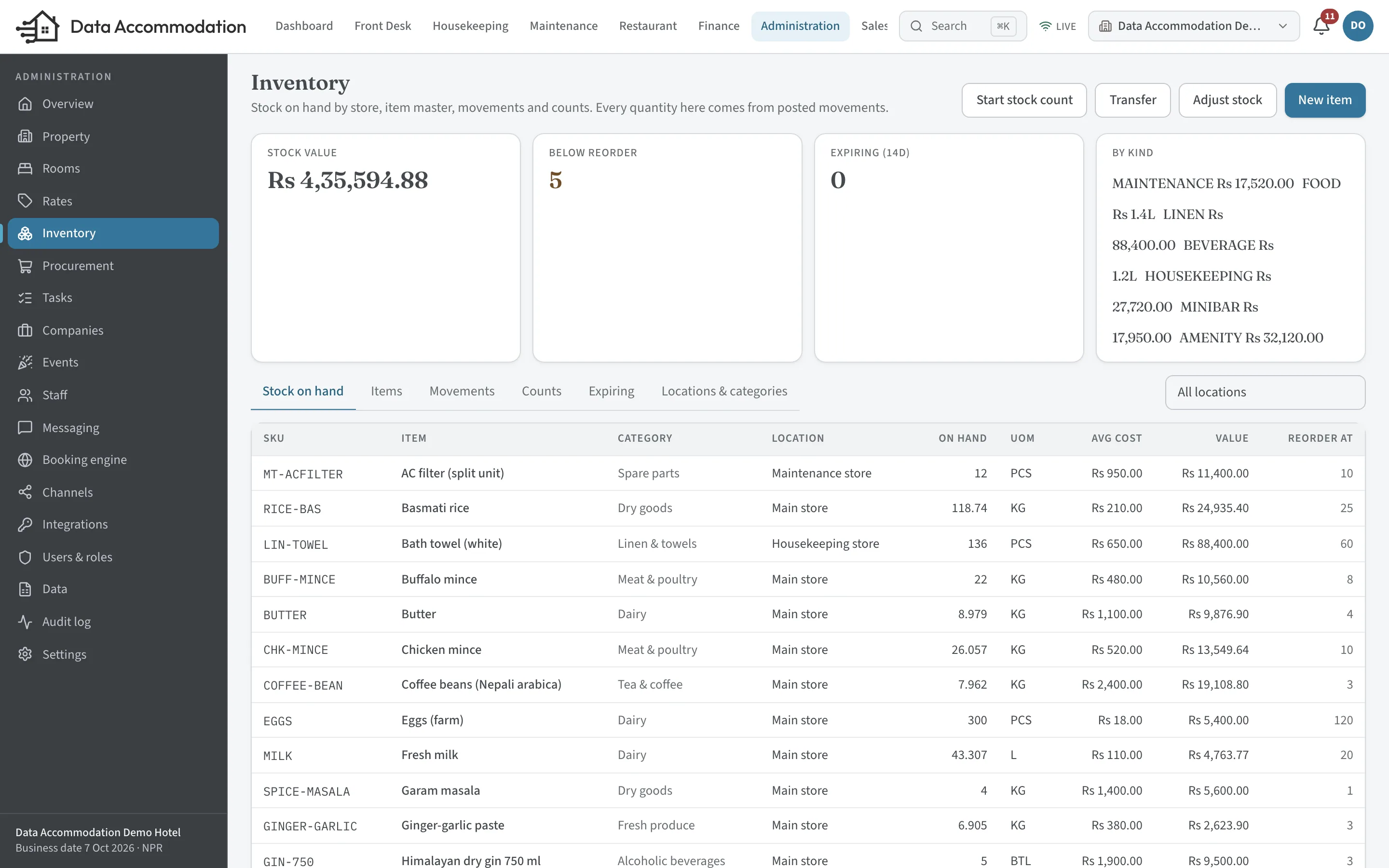
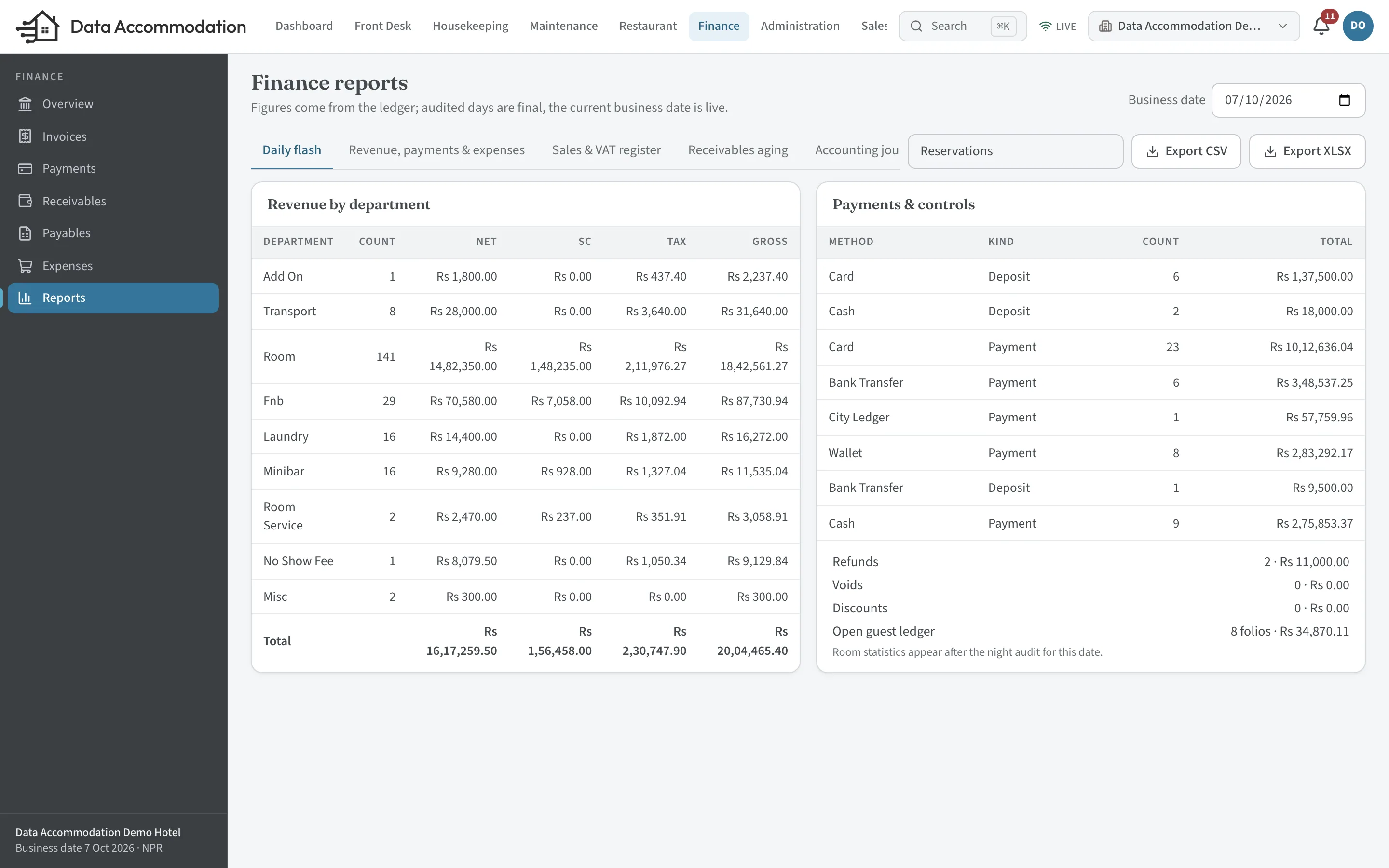
Give a dish a recipe and its ingredients leave the store when it is sent to the kitchen. Restaurant bills, room-service charges and room nights post as they happen, so the daily report reads the same figures the teams worked with.
- 01
Purchasing
Goods received against a purchase order go into a store.
- 02
Recipes
Sending a dish to the kitchen deducts its ingredients from stock.
- 03
Sales
The order posts to a restaurant bill, or to the guest folio when it is charged to the room.
- 04
Daily report
Revenue by department, with service charge, tax and payments by method.
Properties
Set up for the way your property runs.
Switch on the parts you use: a guest house may only need rooms and billing, a resort the restaurant, room service and stores as well.
- HotelsCity and business hotels with a restaurant, company accounts and busy arrival times.
- ResortsSeveral outlets, room service and longer stays on one folio.
- Boutique hotelsA small team covering every role, from one system.
- Serviced apartmentsLong stays, extensions and company billing through the city ledger.
- Hotel groupsSeveral properties under one organisation and one login.
Try it
Open the demo hotel and take a role.
A shared hotel with fictional guests, a restaurant and a kitchen. Choose who you want to be and the system opens as that person sees it. Everything resets overnight.
- Owner dashboard
- Front desk
- Restaurant POS
- Kitchen display
- Housekeeping on mobile
- Accounts
Rather be shown around?
Tell us about your property and we will take you through it on a video call, using your rooms, outlets and questions.