Property management system
Every room, rate and reservation in one ledger.
The PMS is the record the rest of the hotel works from: rooms and room types, rate plans and restrictions, reservations from every source, guest profiles, folios and the night audit that closes each business day.
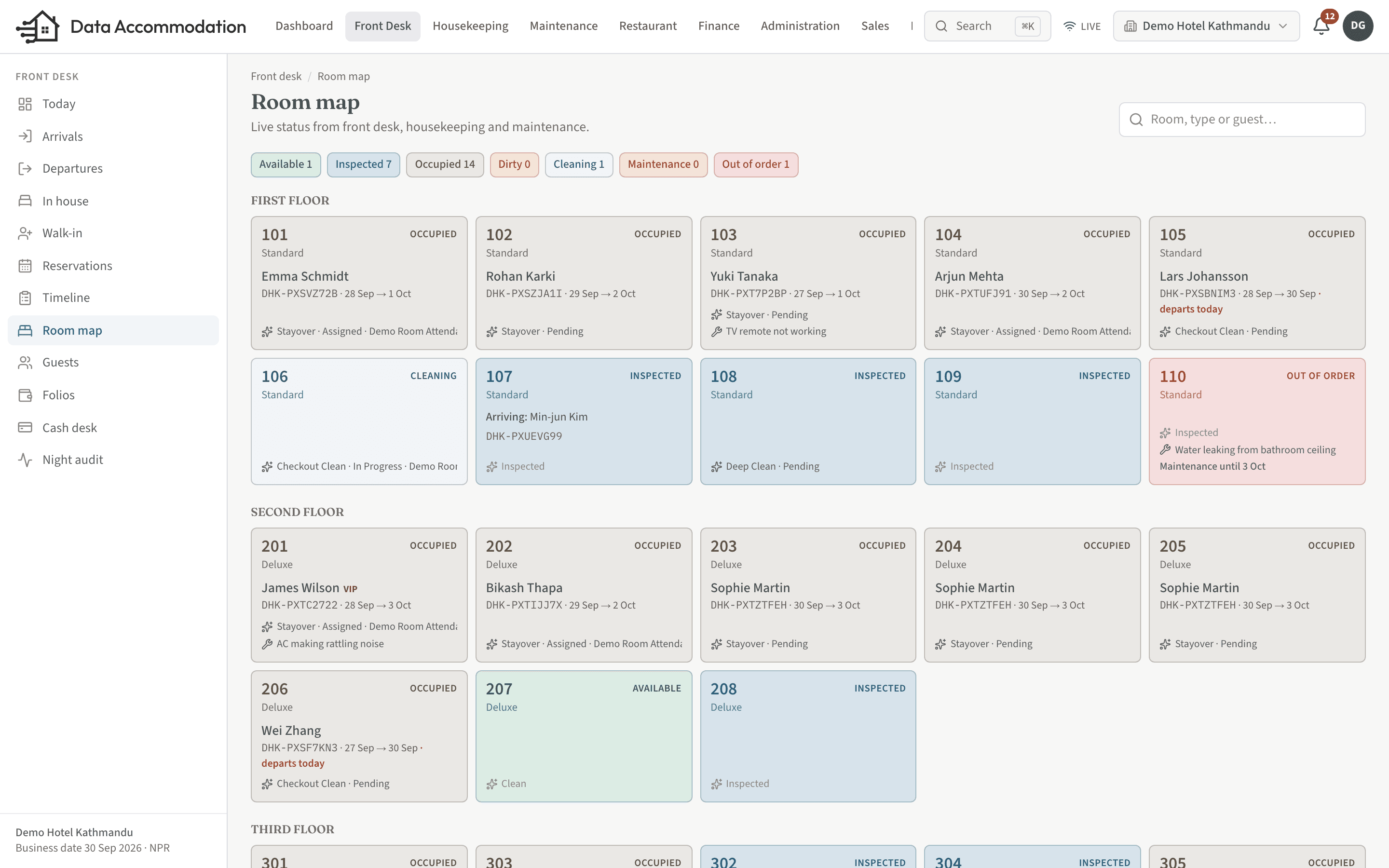
Reservations
Bookings that hold up under pressure.
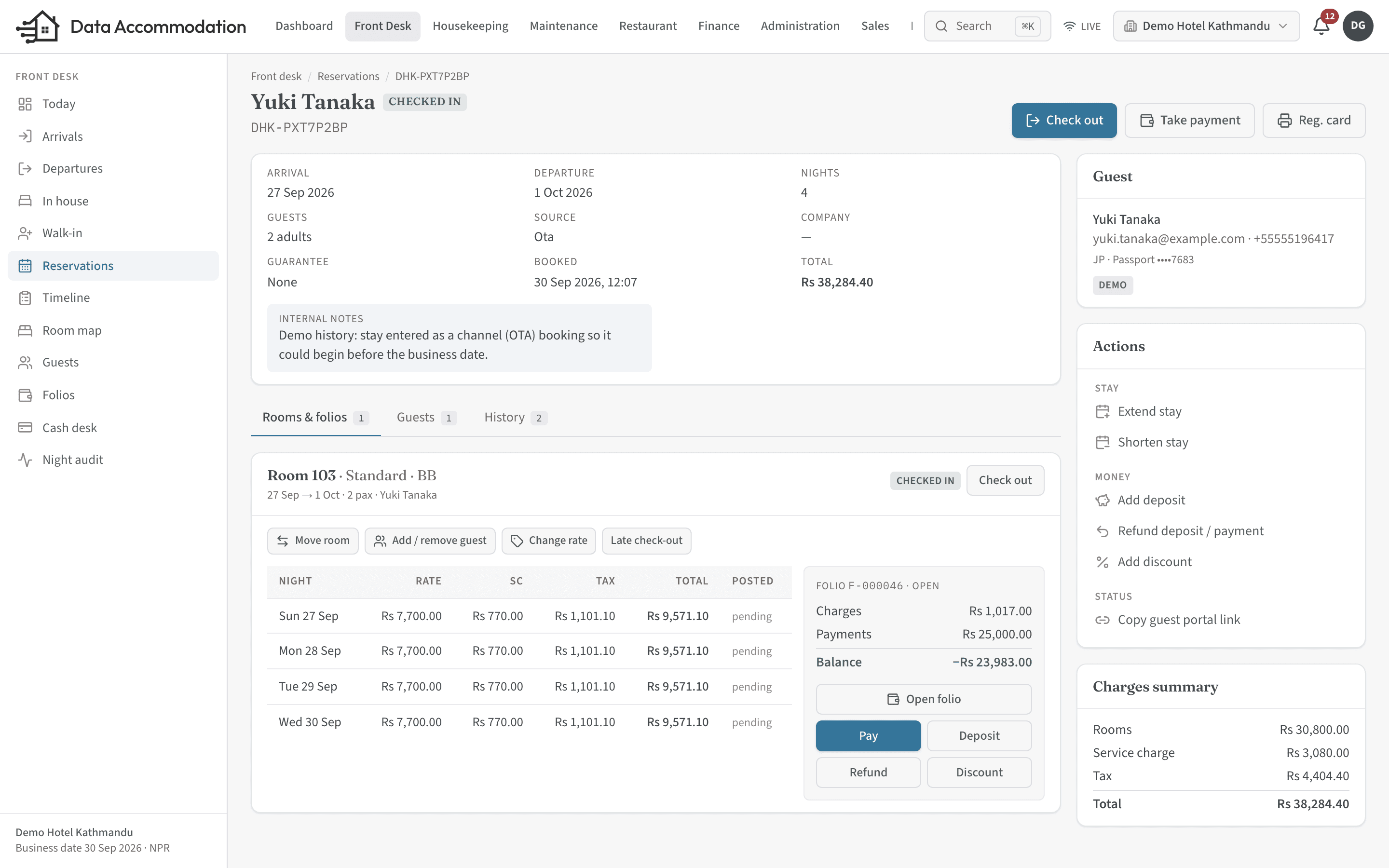
Reservations carry a clear status from enquiry to check-out, and the database itself refuses to put two stays in the same room on the same night.
Full reservation lifecycle
Inquiry, tentative holds that expire on their own, confirmed, waitlist, checked in, checked out, cancelled and no-show — each transition recorded.Multi-room bookings
One reservation can hold several rooms, each with its own guest, rate plan and occupancy. Split a booking, change dates or upgrade a room line when plans change.Overbooking protection
Availability is checked under a lock when a booking is created, and a database constraint stops overlapping stays in one room — even when two agents click at the same moment.Every source in one place
Walk-in, phone, email, website, OTA, travel agent, corporate, group, complimentary and house use, so production reports reflect where business really comes from.Group blocks
Hold allotments per room type per night, track pick-up against them, and release unsold rooms automatically at the cutoff date.Deposits and policies
Deposit rules (percentage, first night, full stay or fixed amount) and cancellation or no-show penalties by days before arrival, applied automatically and overridable with permission.
Rates & restrictions
Rate plans that reflect how you actually sell.
Rate plans and derived rates
Best available, corporate, agent, package, promotional, group and OTA plans, with meal plans. Derive a plan from a parent by a percentage or fixed amount.A rate grid by date and weekday
Set prices by date range and day of week, with extra adult, extra child and single-occupancy pricing.Restrictions
Minimum and maximum stay, closed to arrival, closed to departure and stop-sell, plus validity windows and advance-purchase rules per plan.Promotions and add-ons
Promo codes for a percentage, an amount or free nights. Add-ons priced per stay, per night, per person or per person per night.Tax rules
Percentage or fixed taxes per night, person or stay; compound and inclusive taxes. Nepal properties start with 10% service charge and 13% VAT on top.
Guests
A guest profile that remembers.
One profile per guest
Stays, folios, restaurant orders, requests, messages and feedback on a single timeline. Merge duplicates when the same guest was entered twice.Preferences, VIP and blacklist
Record preferences and VIP status; a blacklisted guest cannot be booked or checked in without it being flagged.Protected identity numbers
Passport and ID numbers are stored encrypted. Only staff with the right permission can reveal one, and every reveal is written to the audit log.Companies and agents
Corporate, travel agent and OTA profiles with city-ledger accounts and credit limits.
Night audit
Close the day the same way every day.
Room charges posted automatically
The night audit posts room and tax charges for every in-house stay and warns about arrivals that have not checked in.Daily figures kept
Occupancy, ADR, RevPAR and revenue by type, source and room type are stored for each business date, so reports never have to be rebuilt from scratch.Safe to re-run
Running the audit twice for the same date does not double-post. The business date advances and the next day’s housekeeping tasks are generated.
See it running on your own property.
Start a trial and set up your rooms, rates and outlets yourself, or book a walkthrough with our team.