Guest experience
Look after guests before, during and after the stay.
Each reservation has a secure guest link — no account, no app to install. Guests check in online, ask for things, order room service and see their bill; staff see those requests as tasks with deadlines.
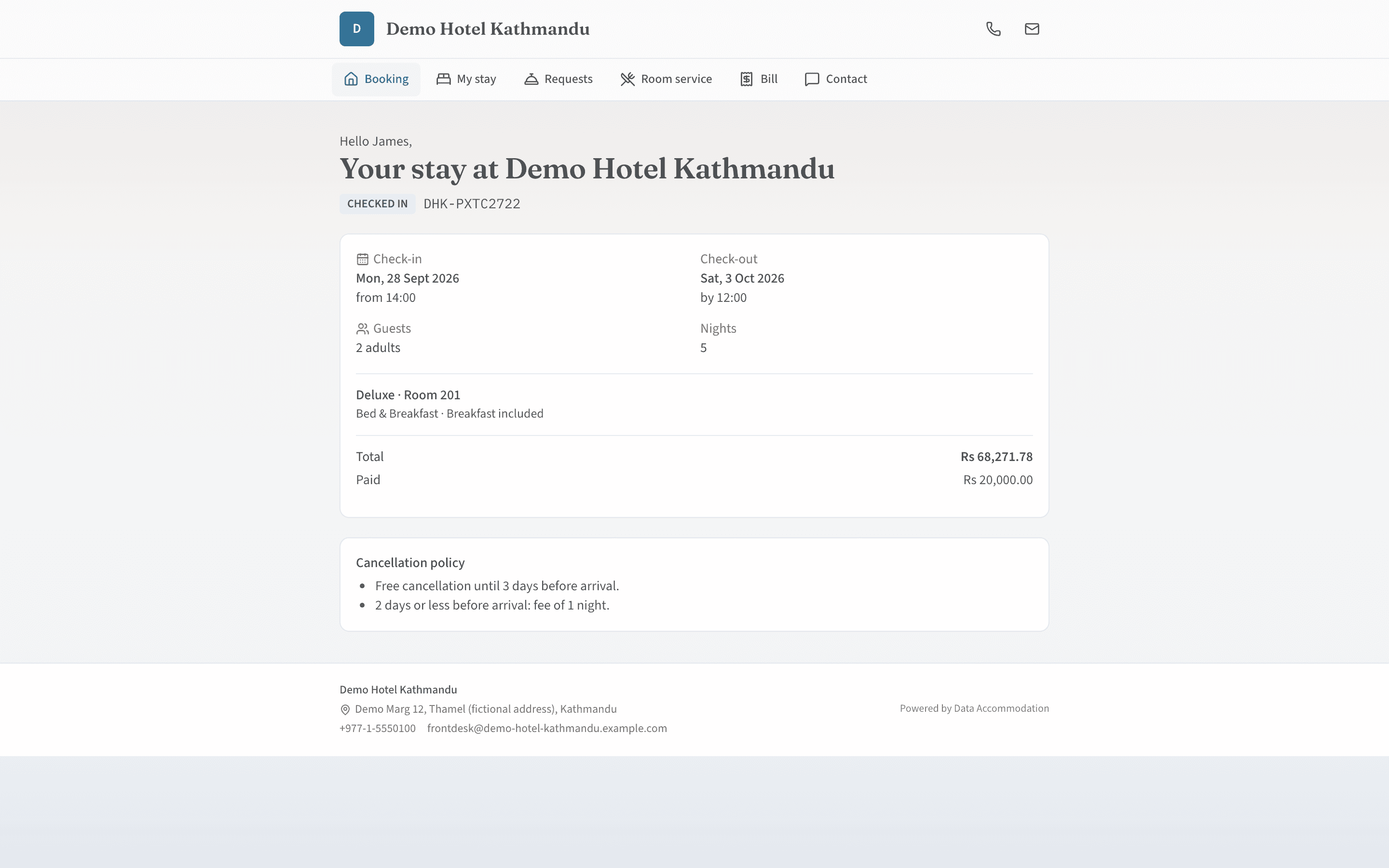
Guest portal
A secure link for every stay.
Digital check-in
Guests confirm their details, accept your terms and sign on screen before they arrive. The desk verifies the submission at check-in.Requests
Extra towels or a taxi: guest requests land in the task engine for the right department, with an escalation deadline.Room service
Guests order from the room-service menu; the order goes to the POS and the kitchen display like any other.Bill and invoices
Guests can see their running bill and their invoices from the same link.Feedback
Ratings, a net promoter score and comments by category, with replies and statistics for managers.
Messaging
The right message at the right moment.
Automatic messages
Emails and SMS when a reservation is created, changed or cancelled, at check-in and check-out, and when a request is completed.Templates
Edit templates per channel and per language, and send a one-off message when you need to.Staff notifications
In-app notifications for the roles that need to act.
Events & groups
Weddings, conferences and banquets.
Venues and packages
Venues with clash checking, event packages and quotations.Event folio
Each event has its own folio, so banquet charges are billed like everything else.
Good to know
Email uses your SMTP service and SMS in Nepal uses Sparrow SMS; both are configured for your account before messages are sent.
See it running on your own property.
Start a trial and set up your rooms, rates and outlets yourself, or book a walkthrough with our team.