Inventory & purchasing
Know what is in the store, and what it costs.
Stores, bars and kitchens share one stock ledger. Recipes deduct ingredients as dishes are sold, purchase orders go through approval, and goods receipts update both stock and cost.
Start free trialBook a demo
Included in the Professional, Business and Enterprise plans. Compare plans
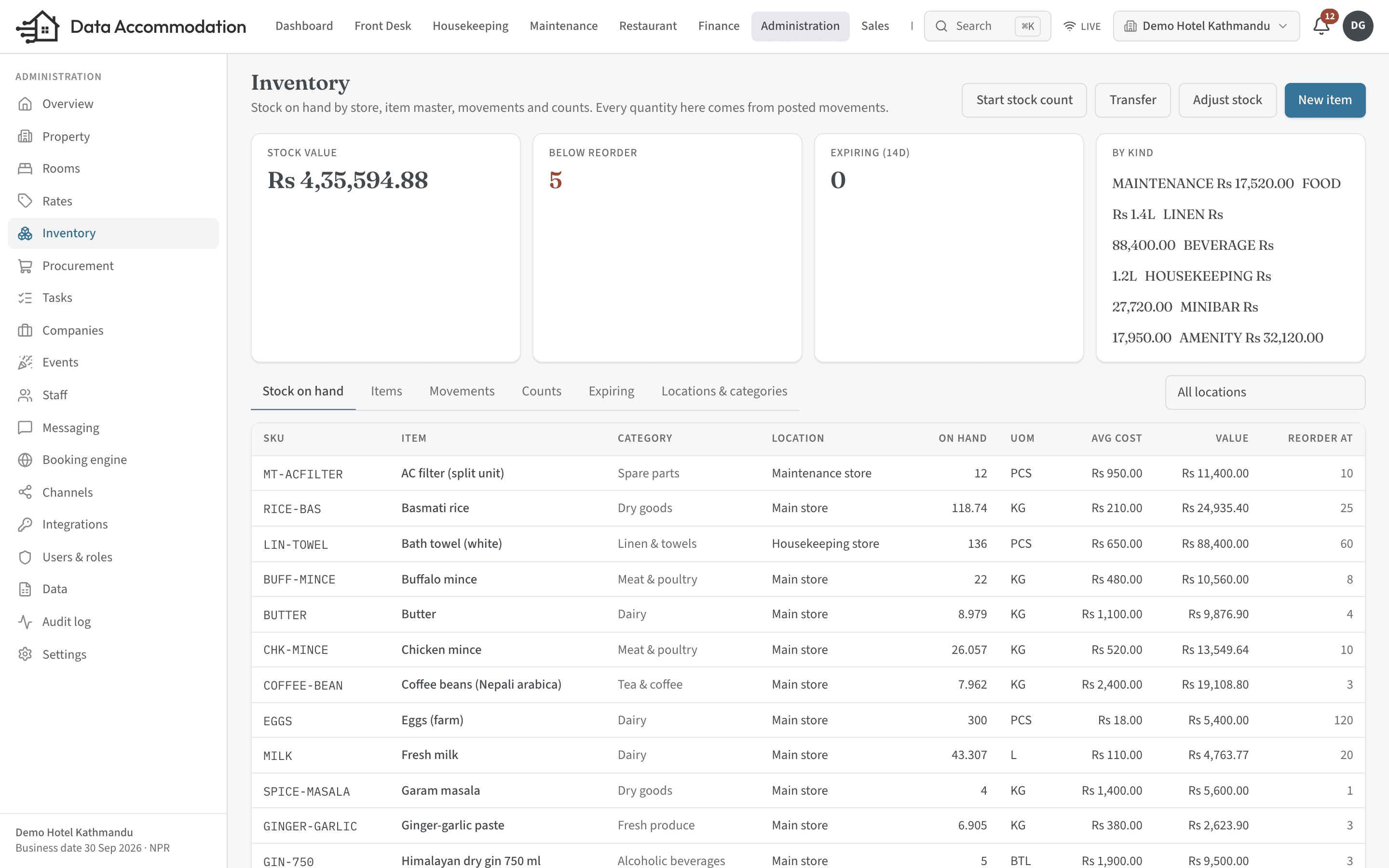
Stock
One ledger across every store.
Items and units
Items in categories, with units of measure and conversions — buy by the case, issue by the bottle.Locations and transfers
Stock by location, with transfers between the main store, kitchen and bars, and a full movement history.Batches and expiry
Track batches with expiry dates and see what is expiring soon.Adjustments and wastage
Record adjustments, wastage and returns with a reason, so losses are visible rather than absorbed.Stock counts
Count, submit and approve. Approved counts correct the variance and keep the difference on record.Costing
Weighted average, FIFO or last-cost valuation, and a consumption report per period.
Recipes
Recipe cost that stays current.
Recipes with wastage
Define recipes with ingredient quantities and wastage percentages, and see the cost of each dish.Deducted as you sell
Sending a POS order deducts the ingredients, so stock on hand reflects what the kitchen has actually used.
Purchasing
Purchase orders with a real approval step.
Suppliers
Keep supplier details on file and raise purchase orders against them.Purchase orders
Draft, submit, approve, send, receive and close. Approval needs its own permission.Goods receipts
Receive against a purchase order or without one. Receipts update stock and cost, and can create the supplier bill.Reorder suggestions
Suggested orders from the reorder levels you set.
See it running on your own property.
Start a trial and set up your rooms, rates and outlets yourself, or book a walkthrough with our team.